TL;DR:
- Mapping and automating one high-impact workflow using lightweight tools helps small teams gain efficiency quickly. Consistent, documented processes reduce errors, save time, and enable predictable operations without overcomplicating tool setups. Proper ownership and regular review of automations ensure ongoing reliability and GDPR compliance.
The fastest, lowest-risk way to get reliable workflows running in a small team is to map one repeatable process, pick a lightweight tool, and automate a single high-impact handoff. Do that before touching anything else.
TL;DR — what you need to know:
- Map one workflow you repeat every week (client onboarding, enquiry handling, or invoicing with Xero are the highest-leverage starting points).
- Pick one tool from a lean stack: ClickUp, Trello, or Asana for task management; Zapier or HubSpot Free CRM for your first automation.
- Automate the handoff where manual entry or waiting slows you down most.
- Test with one real job before rolling out to the team.
- Expect to reclaim meaningful time per week once your first two or three automations are stable.
Your one-line action plan: Map → pick tool → build one automation → test → train → iterate.
Quick wins to try in the next 24–72 hours:
- Connect your enquiry form to HubSpot Free CRM so every new lead creates a contact automatically.
- Set up a Zapier trigger so a new ClickUp task fires whenever a form is submitted.
- Create a Xero invoice template with your standard payment terms so invoicing takes seconds, not minutes.
Pro Tip: Don’t try to automate everything at once. One working automation beats five half-built ones. Pick the process that costs you the most time this week and start there.
Table of Contents
- Why consistent workflows matter for small teams
- What is workflow automation and how does it work?
- Which workflows should small teams automate first?
- How to implement a workflow system in 60 days
- How do you choose the right tools for a small team?
- Ten quick automations you can set up today
- How do you keep automations working and stay GDPR-compliant?
- What our research shows about timelines and time-savings
- Key takeaways
- The gap between automation theory and what actually works
- Hands-off workflow automation for UK service businesses
- Useful sources and further reading
Why consistent workflows matter for small teams
Consistent workflows reduce coordination overhead and founder dependence. When every team member knows the steps, the tools, and who owns each handoff, you stop losing time to repeated questions, missed tasks, and duplicated effort.
The practical outcomes are concrete:
- Fewer tasks fall through the cracks when intake, status updates, and approvals follow a defined path.
- Onboarding a new team member takes days rather than weeks when processes are documented and repeatable.
- Scope creep shrinks when client onboarding and project scoping follow a standard template.
- Tool sprawl costs you money and attention. Lightweight tools for small teams consistently outperform feature-heavy platforms because they allow rapid setup and simpler prioritisation without the admin overhead.
UK service businesses in particular feel the pain of handoff churn. A cleaning company chasing unpaid invoices manually, an estate agent re-entering lead details from email into a spreadsheet, a hospitality business missing a booking because no one owned the follow-up: these are workflow failures, not people failures.
Statistic callout: Standardising a small set of core systems — communication, execution flow, documentation, approvals, and planning cycles — is what allows a small team to operate with the consistency of a larger company, without the headcount.
The goal is predictability, not perfection. A consistent prioritisation method, applied every week, delivers more than an ideal system applied inconsistently.
What is workflow automation and how does it work?
Workflow automation means a defined trigger causes a sequence of actions to run without manual intervention. For a small team, that usually means connecting the tools you already use so data moves between them automatically.
The building blocks are straightforward:
- Action: — what happens next (create a CRM contact, send an email, create a task in ClickUp).
- Integration/connector: — the link between two tools, handled by a platform like Zapier, Make (formerly Integromat), or Microsoft Power Automate.
A simple example: a prospect fills in your website contact form → Zapier detects the submission → creates a contact in HubSpot Free CRM → creates a task in ClickUp → sends the prospect a confirmation email. That entire sequence runs in seconds, with no one touching a keyboard.
Low-code and no-code platforms make this accessible without a developer. Zapier uses a point-and-click interface. Make (formerly Integromat) offers a visual canvas for more complex branching logic. Microsoft Power Automate integrates tightly with Microsoft 365, which suits teams already using Teams and Outlook. You can read a fuller primer on what business automation means in practice before building your first flow.

Pro Tip: Start by describing your workflow in plain English (“when X happens, do Y, then Z”) before opening any tool. The clearer your logic on paper, the faster you build it in the platform.
Which workflows should small teams automate first?
Prioritise client onboarding, project intake, invoicing, customer enquiries, and approval handoffs. These five cover the majority of repeated manual work in a UK service business, and a seven-workflow baseline — adding status updates, version control, and prioritisation — gives most small teams everything they need to scale.
Here are the highest-impact workflows with mini-templates you can adapt:
1. Client onboarding
Client onboarding is the highest-leverage workflow for service businesses. Standardising intake prevents scope creep and repeated clarifications before a project even starts.
- Actions: — create CRM contact in HubSpot Free CRM → send welcome email → create onboarding task list in ClickUp or Asana → schedule kick-off call.
For a detailed template, the client management workflow guide for UK small businesses covers the full sequence.
2. Customer enquiry handling
- Tools: — Zapier or Make connecting your website form to HubSpot and ClickUp.
The customer enquiry workflow guide for UK SMEs has sector-specific variations for hospitality, home services, and estate agents.
3. Invoicing and payment chasing
- Trigger: — project marked complete in ClickUp or Trello.
4. Project intake and scoping
- Actions: — create project in ClickUp or Asana → assign scoping task → notify project lead → add to weekly planning board.
5. Approval handoffs
- Trigger: deliverable marked “ready for review” in your project tool.
- Actions: notify approver via Slack or email → set deadline → escalate if no response within 24 hours.
- Success criteria: no approval waits longer than 48 hours without an escalation.
Start manual, then automate. Run each workflow manually for one or two real jobs before building the automation. You’ll catch logic errors before they affect clients.
How to implement a workflow system in 60 days
A phased 60-day implementation across four stages gives small teams a realistic path from chaos to a working operating system: Map, Design, Build, Train.
The four phases
- Map (Days 1–10): List every repeatable process. Note who does each step, which tools are involved, and where handoffs happen manually. Output: a one-page process map.
- Design (Days 11–20): Choose your tool stack. Define triggers, conditions, and actions for your top three workflows. Assign an owner to each. Output: workflow diagrams and a tool decision.
- Build (Days 21–40): Build and test automations one at a time. Run each against a real scenario before going live. Output: three working automations.
- Train and measure (Days 41–60): Walk the team through each automation. Document the steps. Set a review date. Output: trained team, living documentation, baseline metrics.
Timeline overview
| Phase | Duration | Key outputs |
|---|---|---|
| Map | Days 1–10 | Process inventory, handoff map |
| Design | Days 11–20 | Tool stack chosen, workflow diagrams |
| Build | Days 21–40 | Three automations live and tested |
| Train & measure | Days 41–60 | Team trained, docs live, metrics baseline set |
Roles and responsibilities
- Owner: decides which workflows to prioritise and signs off on the tool stack.
- Builder: configures the automations in Zapier, Make, or Power Automate.
- Tester: runs each automation against a real or simulated scenario and logs errors.
- Trainer: documents the workflow and walks the team through it.
In a team of three to five, one person often covers two roles. That’s fine. What matters is that every automation has a named owner before it goes live.
Prioritisation rule
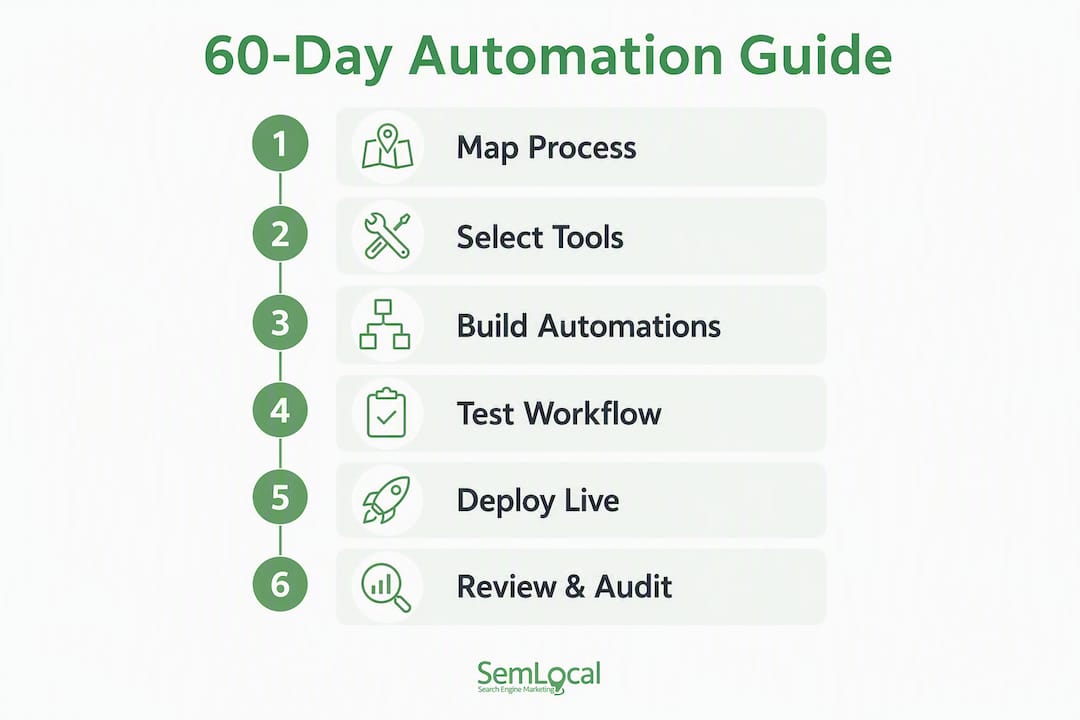
Score each workflow on impact (time saved or errors prevented) multiplied by effort (hours to build). Automate high-impact, low-effort workflows first. A visible backlog with simple prioritisation rules prevents bottlenecks from building up during the build phase.
Deployment checklist:
- [ ] Automation tested with at least one real data set.
- [ ] Error alert configured (email or Slack notification on failure).
- [ ] Rollback plan documented (what to do manually if the automation fails).
- [ ] Owner named and aware.
- [ ] Team briefed on what the automation does and what to do if it misfires.
For a step-by-step walkthrough of building individual automations, the task automation guide for UK small businesses covers each stage in detail.
How do you choose the right tools for a small team?
Prefer lean, well-integrated tools with simple permissions and a free or low-cost tier. For teams of 5–15, a shared doc layer, a single lightweight project manager, and one automation platform beats any enterprise suite that requires a dedicated admin to maintain it.

Tool comparison
| Tool | Best for | Complexity | Free tier | Integrations | GDPR/security | Templates | Team size fit |
|---|---|---|---|---|---|---|---|
| ClickUp | All-in-one task and project management | Medium | Yes (generous) | 1,000+ | Strong; EU data hosting available | Extensive | 3–50 |
| Trello | Visual kanban boards, simple task tracking | Low | Yes | 200+ via Power-Ups | Good; Atlassian compliance | Good | 2–20 |
| Asana | Structured project workflows, intake forms | Low–medium | Yes (up to 15 users) | 200+ | Strong; GDPR-ready | Good | 3–30 |
| HubSpot Free CRM | Contact management, enquiry tracking, email sequences | Low | Yes (free forever) | 500+ | Strong; EU data centres | Excellent | 1–50 |
| Xero | Invoicing, VAT, payroll, bank reconciliation | Low–medium | No (30-day trial) | 1,000+ | Strong; UK-specific compliance | Good | 1–50 |
| Zapier | No-code automation between apps | Low | Yes (limited tasks) | 6,000+ | Good; SOC 2 certified | Extensive | Any |
| Make (formerly Integromat) | Visual multi-step automations, branching logic | Medium | Yes | 1,000+ | Good; GDPR-compliant | Good | Any |
| Microsoft Power Automate | Microsoft 365 ecosystem automations | Medium | Yes (with M365) | 500+ | Excellent; UK data residency | Good | Any |
How to trial a tool in one week
- Day 1: sign up and connect one existing tool (e.g., link Zapier to your Gmail).
- Days 2–3: build one automation from a template and run it against a real task.
- Day 4: invite one other team member and check permissions work as expected.
- Day 5: review what broke or felt clunky. Decide whether to continue or try an alternative.
Involve the person who will use the tool daily, not just the person who chose it. Their friction is the real signal.
Small teams consistently get better results from tools with fast onboarding and affordable scaling rather than from platforms with extensive features they never use.
Pro tip for avoiding tool sprawl: before adding any new tool, ask whether an existing one can do the job with a simple integration. If the answer is yes, extend what you have.
Ten quick automations you can set up today
Start with automations that save meaningful time each week and are stable enough to run without supervision. These ten recipes cover the most common manual handoffs in UK service businesses.
- New CRM contact → ClickUp task — When a HubSpot contact is created, a follow-up task fires in ClickUp with a due date. Setup: 15 minutes.
Minimal testing steps: run each automation with a test record before pointing it at live client data. Check that the output looks correct, that no duplicate records are created, and that the error alert fires if you deliberately break the trigger.
Rollback plan: for every automation, document the manual steps it replaces. If it misfires, the team reverts to the manual process while the builder investigates. Keep that manual fallback in your living documentation.
For more AI-specific automation ideas, the AI automation examples for UK small businesses guide covers call handling, lead qualification, and appointment booking in detail.
How do you keep automations working and stay GDPR-compliant?
Ongoing maintenance prevents automation debt. Every automation needs a named owner, a review date, and a simple error alert. Without these, broken automations quietly fail for weeks before anyone notices.
Maintenance checklist
- Monitor: check your automation platform’s task history weekly. Zapier, Make, and Power Automate all log every run with a pass/fail status.
- Alert: configure email or Slack notifications for any automation that errors. Don’t rely on spotting failures manually.
- Test periodically: run a test record through each automation monthly to confirm it still works after tool updates.
- Review cadence: schedule a quarterly review of all active automations. Retire any that no longer match your current process.
- Living documentation: treat your process docs as a living asset. Update them when tools change, new staff join, or a workflow is modified. A practical operations checklist that is reviewed regularly outperforms a perfect document that is never updated.
Common failure types and recovery patterns
- Authentication expired: a connected app’s API token has lapsed. Fix: reconnect the account in your automation platform. Recovery: rerun failed tasks from the history log.
- Field mapping broken: a tool update changed a field name. Fix: remap the field. Recovery: manually process any records that failed during the gap.
- Rate limit hit: too many automation runs in a short period. Fix: add a delay step or upgrade your plan. Recovery: requeue failed tasks.
- Human fallback: for any automation touching client data or payments, document the manual steps clearly so the team can take over immediately if the automation is paused.
GDPR considerations for UK small teams
UK data protection law, administered by the Information Commissioner’s Office (ICO), applies to any automated process that handles personal data. Key points:
- Data minimisation: only collect and pass the fields you actually need. If your enquiry form captures a phone number but your CRM automation doesn’t use it, don’t include it in the trigger payload.
- Legal basis: confirm you have a lawful basis for processing (usually legitimate interest or contract performance for client workflows). Document it.
- Data subject access: if a contact asks what data you hold, you need to be able to retrieve it. Keep your CRM records clean and your automation logs accessible.
- Log retention: don’t store automation logs containing personal data longer than necessary. Check your platform’s data retention settings.
- Third-party processors: Zapier, Make, HubSpot, and Xero all operate as data processors under UK GDPR. Check their Data Processing Agreements and confirm they offer UK or EU data residency where required.
For current guidance, check ICO’s guidance on automated decision-making and GOV.UK’s data protection pages.
Pro Tip: Add a GDPR review step to your quarterly automation audit. A five-minute check that each automation still has a valid legal basis and isn’t retaining data unnecessarily is far easier than a retrospective compliance exercise.
What our research shows about timelines and time-savings
The evidence from phased implementations points to a consistent pattern: the first working automation delivers a noticeable time saving within the first two weeks of the build phase, and cumulative gains compound as more workflows are standardised.
A business operating system built across four phases — Map, Design, Build, Train — gives small teams a structured path to measurable efficiency. The mapping phase alone typically surfaces two or three high-impact handoffs that were previously invisible because they were handled informally.
Expected outcomes by phase:
- Mapping (Days 1–10): no time saved yet, but the process inventory reveals where the biggest manual bottlenecks sit. Most teams find that enquiry handling and invoicing top the list.
- Build phase (Days 21–40): the first automation live. Teams report that automating a single enquiry-to-CRM handoff removes repeated manual entry and follow-up reminders.
- Post-build (Days 41–60): with three automations running, coordination overhead drops and team members spend less time on status updates and chasing approvals.
- Ongoing: each additional automation compounds the gains. The key is keeping automations stable and documented so they don’t require constant attention.
Anonymised case example: a five-person UK home services business mapped their client onboarding and invoicing workflows in week one. They built three automations over the following three weeks: enquiry form to HubSpot, project completion to Xero invoice, and invoice paid to team notification. Within 60 days, the owner reported spending significantly less time on administrative follow-up each week and described the invoicing process as “essentially hands-off.”
This reflects a finding consistent across small-team operating system implementations: the primary gain is not speed alone, but reduced founder dependence and clearer ownership at every handoff.
For teams considering professional services training to support the change management side of implementation, Ahead of Sales offers business development and process training relevant to client-facing service teams.
Key takeaways
A reliable workflow for small teams requires mapping one repeatable process, choosing a lean tool stack, and automating the highest-impact handoff before expanding further.
| Point | Details |
|---|---|
| Map before you build | Identify your top three manual handoffs before choosing any tool or building any automation. |
| Lean stack beats feature bloat | ClickUp, Trello, or Asana plus Zapier or Make covers most small-team needs without admin overhead. |
| Automate the middle handoff first | Target the step where manual entry or waiting slows you down most — usually enquiry intake or invoicing. |
| GDPR applies to every automation | Name a legal basis, minimise data fields, and review log retention quarterly with ICO guidance. |
| Semlocal builds and manages automations | For UK service businesses that prefer a hands-off approach, Semlocal handles strategy, build, and ongoing management of AI agents and workflow automations. |
Next-steps checklist:
- [ ] Audit one workflow you repeat every week.
- [ ] Pick one tool from the lean stack and trial it for five days.
- [ ] Build one automation from the quick-wins list above.
- [ ] Test it with a real record before going live.
- [ ] Train the team and document the steps.
- [ ] Schedule a review at 30 days and again at 60 days.
Suggested timeline: complete the mapping and tool selection in the first two weeks. Have your first automation live by day 21. Aim for three working automations and a trained team by day 60.
The gap between automation theory and what actually works
Most guides on workflow automation for small teams spend too long on tool comparisons and not enough time on the single decision that determines whether any of it sticks: who owns the process after it’s built.
A Zapier workflow with no named owner is a liability, not an asset. When it breaks — and at some point it will, because a connected app updates its API or a field name changes — no one knows whose job it is to fix it. The automation quietly fails, the team reverts to manual workarounds, and within a month the whole thing is abandoned. The tool gets blamed. The real cause was governance.
The second thing most guides underestimate is the value of starting manual. Running a workflow by hand for two or three real jobs before automating it sounds inefficient. It isn’t. It surfaces the edge cases, the exceptions, and the “actually, we always do it differently when the client is X” moments that would otherwise break your automation on day three. The manual run is the cheapest QA process available.
My honest view: for most UK service businesses with teams of 3–15, the right answer is not the most sophisticated automation platform. It’s the one your team will actually use consistently. A well-maintained Trello board with two Zapier automations and a Xero invoicing trigger will outperform an elaborate Make scenario that only one person understands and no one has documented.
Start small, name an owner, document it, and review it quarterly. That discipline compounds faster than any tool upgrade.
Hands-off workflow automation for UK service businesses
If you’d rather focus on running your business than configuring automation platforms, Semlocal builds and manages the full stack for you. The concrete difference: you get a working system without spending 60 days learning tools, debugging triggers, or writing documentation.
Semlocal’s managed automation service covers strategy, build, and deployment of AI voice agents, SMS text-back agents, web chat agents, and workflow automations, all integrated with your existing CRM and calendar. For UK service businesses in hospitality, home services, estate agency, cleaning, and professional services, the typical outcomes are faster lead response, fewer missed bookings, and a predictable pipeline that runs without manual intervention.
The predictable pipeline case study shows what this looks like in practice for a managed IT services firm. If you want the same result without building it yourself, book a discovery call with the Semlocal team at aimagency.co.uk to discuss your specific workflows and get a clear picture of what’s possible.
Useful sources and further reading
For compliance and legal checks, start with the primary UK sources before relying on any vendor documentation:
- ICO — Information Commissioner’s Office: the authoritative source for UK GDPR guidance, automated decision-making rules, and data subject rights.
- GOV.UK — Data protection: plain-English overview of UK data protection obligations for businesses.
- Microsoft — Online collaboration tools for business: Microsoft’s overview of Teams and its integration with Microsoft 365 for workflow and collaboration.
- ClickUp — Small business operating system: 7 workflows to scale: a practical baseline workflow set for small teams covering onboarding, intake, approvals, and more.
- AIM Agency — Small business automation checklist for UK owners: a ready-to-use checklist for connecting key tools and automating routine tasks.
Keep your living documentation in a single shared location — a Notion page, a Google Doc, or a ClickUp doc — so the whole team knows where to find the current version of every workflow.
Recommended
- Small business automation checklist for UK owners – AI Management Agency
- Step-by-step task automation guide for UK small businesses – AI Management Agency
- What is business automation? A guide for small businesses – AI Management Agency
- Client management workflow: a guide for UK small businesses – AI Management Agency