For automation that actually scales, use the WhatsApp Business Platform (Cloud API) with an AI layer on top. The free WhatsApp Business app only stretches to basic quick replies and greeting messages, which is fine for a single-site business with one phone but a bottleneck for anyone juggling bookings, orders or support tickets. Whichever route you take, remember the 24-hour customer service window: reply freely inside it, but anything outside needs an approved message template.
- Small team, low volume: stay on the WhatsApp Business app, but plan your migration point.
- Growing or multi-location business: start Embedded Signup on the Cloud API and test one automated flow before going live.
- Already using tickets, CRM or booking software: integrate first, automate second.
Key takeaways
Reliable WhatsApp business automation depends on choosing the Cloud API for scale, respecting the 24-hour window and template rules, and layering AI only after simulation against real conversation history.
| Point | Details |
|---|---|
| Choose the right route | Use the Business app for tiny teams; migrate to the Cloud API once volume or integrations demand it. |
| Start with utility flows | Appointment reminders and order notifications deliver the fastest, most reliable return before adding marketing messages. |
| Respect the 24-hour window | Free-form replies work inside 24 hours; anything outside it needs an approved template. |
| Simulate before going live | Test any AI layer against historical tickets and set escalation thresholds before a full rollout. |
| Consider a managed route | Semlocal builds the WABA setup, booking flows and AI escalation rules end to end for businesses that prefer not to build in-house. |
Table of Contents
- What is WhatsApp business automation and which route fits you?
- Which automation use cases deliver the fastest return?
- How do you set up WhatsApp business automation step by step?
- How should you train and safeguard an AI layer?
- What does WhatsApp automation cost, and how do templates work?
- Which integration pattern fits your existing systems?
- When should you build in-house versus hire a managed provider?
- Managed WhatsApp automation and AI agent deployment from Semlocal
- Frequently asked questions
- Sources
What is WhatsApp business automation and which route fits you?
WhatsApp business automation means using either the WhatsApp Business app or the WhatsApp Business Platform (commonly called the Cloud API) to send, receive and trigger messages without a human typing every reply. The two routes solve different problems, and picking the wrong one is the single most common early mistake.
- WhatsApp Business app — free, works on a phone or tablet, supports quick replies, greeting messages, labels and basic away messages. There’s no webhook access, no third-party integration and no way to trigger messages from an external system.
- Business Platform (Cloud API) — built for programmatic messaging. It supports webhooks, approved message templates, interactive Flows (including Date Pickers), and Embedded Signup for faster onboarding through a provider.
Migrate when you hit any of these signals: more than a few hundred conversations a month, a need to trigger messages from a booking system or CRM, or repeated queries you want a bot to handle before a human sees them.
Pro Tip: Don’t wait until your team is drowning in chats to migrate. Set up the Cloud API in parallel with the Business app first, test it on one low-risk flow like appointment confirmations, then switch over once it’s proven.
Which automation use cases deliver the fastest return?
Not every automation idea is worth building. The ones that pay back quickest are transactional, not promotional, because they save staff time on repetitive admin rather than trying to sell something.
- Appointment booking, confirmations and reminders using Date Picker flows, with Confirm and Reschedule buttons built into the message itself.
- Transactional notifications for orders, shipping updates and payment confirmations, sent the moment a status changes in your system.
- Lead capture and qualification, where an inbound chat automatically creates or updates a CRM record.
- First-line chatbot support that answers common questions and hands off to a human when it can’t help.
Appointment reminders sent this way tend to see far higher open rates than a typical marketing email, and services built around this exact use case commonly report no-show reductions in the 40 to 60 percent range once reminders and reschedule buttons replace manual phone calls or texts. WhatsApp appointment bookings also see measurably higher open rates than email, which is why utility messaging is usually the first automation worth building.
One caveat that catches businesses out: marketing templates require explicit opt-in consent and are billable, so don’t try to sneak promotional copy into a utility reminder. Meta’s classification system will flag it, and your template gets rejected.
How do you set up WhatsApp business automation step by step?
Getting from zero to a working automated flow involves more moving parts than most guides admit. Here’s the order that avoids the most common setup failures.
- Create a Meta business portfolio and set up your WhatsApp Business Account (WABA) inside it.
- Choose and verify a phone number. This can be a new number or, in some cases, a ported existing one.
- Decide your onboarding path. Embedded Signup through a solution provider is faster for most businesses; full self-managed API onboarding gives more control but takes longer to configure.
- Create your app in Meta’s developer console and configure webhooks so incoming messages and status updates reach your system in real time.
- Draft and submit message templates for your key use cases (appointment reminders, order updates), and expect a short approval review before they go live.
- Integrate with your CRM, helpdesk or booking tool, mapping fields like customer name, appointment time and order ID so data flows both ways without manual re-entry.
- Simulate before you go live. Run any AI or automated flow against historical tickets, set confidence thresholds for when the bot should answer versus escalate, then pilot with a small percentage of real traffic before a full rollout.
Pro Tip: Template rejections are usually about formatting, not content. Keep utility templates free of emojis, exclamation marks and promotional language, and they clear review faster.
How should you train and safeguard an AI layer?
The API moves messages. The AI decides what to say. Keeping those two jobs separate makes troubleshooting far easier when something goes wrong, because you can tell whether the fault is in the pipe or the brain behind it.
- Train the AI on your help centre content, past support tickets, product data and FAQs, not on generic web content.
- Simulate the AI against real historical conversations before it touches a live customer, and tune it based on where it gets things wrong.
- Set clear escalation rules: low-confidence answers, complaints and anything involving money should hand off to a human immediately.
- Monitor resolution rate, escalation rate and customer satisfaction weekly once live, not just at launch.
Pro Tip: Choose an AI vendor carefully. Meta restricted certain general-purpose chatbot behaviours on the platform in 2025, so a bot built for purpose-specific tasks like appointment support is a safer bet than a general conversational AI bolted on without guardrails.
What does WhatsApp automation cost, and how do templates work?
Meta’s 24-hour customer service window is the key to controlling spend. Once a customer messages you, you can reply free-form for 24 hours at no per-message cost. Outside that window, you need an approved template, and Meta moved to per-message pricing for template sends from July 2025 onward.
- Utility templates cover transactional updates like appointment reminders and order status, and are the cheapest, most reliably approved category.
- Marketing templates need explicit consent and cost more, since they’re promotional by nature.
- Authentication templates handle one-time passcodes and verification codes.
The practical lever most businesses miss: keep customers replying inside the 24-hour window wherever possible, since every reply extends free-form messaging. Use utility templates strictly for reminders and confirmations, and keep promotional language out of them entirely.
Which integration pattern fits your existing systems?
Three architecture patterns cover most setups. Direct Cloud API integration gives full control but needs developer resources. Routing WhatsApp through your helpdesk (so chats become tickets) suits support-heavy teams already using that workflow. Middleware platforms like Zapier offer a no-code route to connect WhatsApp messages to a CRM or helpdesk without custom development.
- Sync booking flows with calendar tools such as Google Calendar, Calendly or Cal.com so Date Picker slots reflect real availability.
- Map inbound chats to CRM leads automatically, triggering follow-up workflows the moment a conversation starts.
- Store opt-in records, keep data processing agreements current, and set a clear retention policy for chat history.
A music tuition business automating enquiry-to-lead workflows is a useful example of how a service-based operation can turn inbound chat volume into structured CRM data without a dedicated developer team.
When should you build in-house versus hire a managed provider?
Small teams sensibly start with the Business app. But once volume, integrations or AI ambitions grow, the API becomes the only sane path, and that’s a bigger technical commitment than most owners expect. The businesses that get the best return start narrow: prove utility flows like appointment reminders first, build an opt-in base, then layer in support automation once the basics are stable.
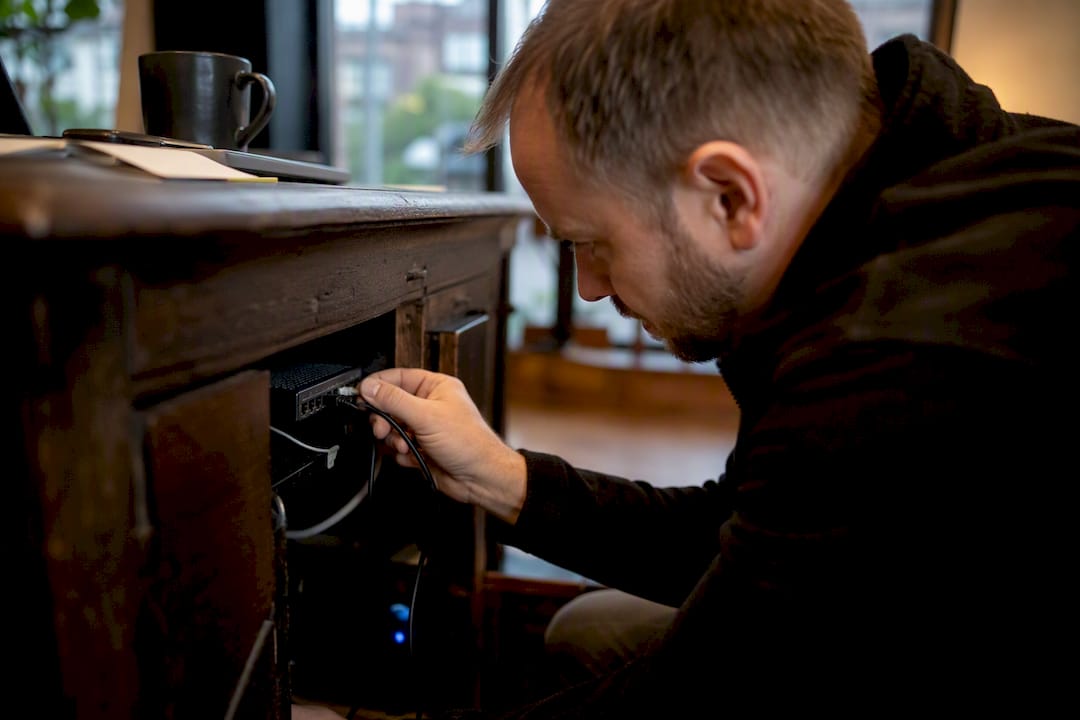
Semlocal’s approach mirrors that sequence: audit current messaging gaps, pilot one high-ROI flow, then scale and optimise once it’s working. That’s the same order we’d recommend to any service business exploring AI automation.
Managed WhatsApp automation and AI agent deployment from Semlocal
Building this in-house means developer time, template approvals, and an AI layer that needs tuning before it ever meets a customer. Semlocal runs that whole build for you, from WABA setup through to live escalation rules, so your team gets a working system without the internal project.
For service businesses juggling appointments, quotes or repeat enquiries, our AI automation projects typically focus first on reminder flows and lead capture, the two use cases with the clearest, fastest payback: fewer no-shows and faster first response times. We also handle the appointment booking setup end to end, mapping your calendar and CRM so leads convert without manual follow-up. If your local visibility needs work alongside your messaging setup, our Google Business Profile management service makes sure the enquiries you automate are actually finding you in the first place. Book a discovery call and we’ll map out which flows to pilot first.
Frequently asked questions
What’s the difference between the WhatsApp Business app and the Business Platform?
The app is free, phone-based and limited to manual quick replies and greetings. The Business Platform (Cloud API) supports webhooks, approved templates and programmatic messaging, making it the only realistic route for automation at scale.
Do I need a message template for every automated WhatsApp message?
No. Messages sent within 24 hours of a customer’s last message can be free-form. Anything sent outside that window, including reminders and notifications, requires an approved template.
How much does WhatsApp business automation cost?
Costs depend on template category and volume, with utility templates for appointments and order updates typically cheaper than marketing templates, which require explicit opt-in consent. Meta moved to per-message pricing for template sends from July 2025.
Can I use a general AI chatbot on WhatsApp?
Meta restricted certain general-purpose chatbot behaviours on the platform in 2025, so choose an AI vendor built for specific tasks like support or booking rather than an open-ended conversational bot.
How do I integrate WhatsApp with my CRM?
Connect directly via the Cloud API if you have developer resources, route messages through your helpdesk if you already ticket conversations, or use no-code middleware such as Zapier to create CRM leads automatically from inbound chats.
Sources
- WhatsApp Business Platform | Business messaging APIs
- How to automate WhatsApp support with AI (2026 guide) | eesel AI
- WhatsApp appointment booking: Benefits, setup & how it works
- WhatsApp changes its terms to bar general-purpose chatbots
Recommended
- Automated SMS reply setup: quick start for service businesses – SemLocal
- How to automate calls and boost customer satisfaction – AI Management Agency
- SMS appointment reminders for small businesses: a practical guide – SemLocal
- Step-by-step task automation guide for UK small businesses – AI Management Agency