Your single most impactful action right now: claim and verify your Google Business Profile and set the correct primary category. Everything else builds on those two steps. A complete, active profile lets customers find you in Google Search and Maps, book directly, read your reviews, and contact you without visiting your website.
Complete these in under an hour:
- Claim and verify your profile at business.google.com
- Set your primary category to match your core service exactly
- Add your correct trading name, address, and phone number
This week, also do:
- Upload at least five photos (storefront, team, work examples)
- Publish your first Google Post and request a review from a recent satisfied customer
Key takeaways
A complete, verified Google Business Profile with the correct primary category, consistent NAP, regular photos, and a steady review cadence is the fastest route to improved local visibility for UK service businesses.
| Point | Details |
|---|---|
| Verify and categorise first | Claim your profile and set the correct primary category before any other optimisation work. |
| NAP consistency drives trust | Match your business name, address, and phone number exactly across GBP, your website, and all directories. |
| Reviews and responses build prominence | A steady flow of genuine reviews and timely replies directly improves your local ranking and conversion rate. |
| Track actions, not just views | Monitor calls, direction requests, and website clicks monthly — these reflect real leads, not vanity metrics. |
| Semlocal manages it end to end | Semlocal’s managed GBP service handles optimisation, review systems, posts, and monthly reporting to generate more local leads. |
Table of Contents
- How to claim and verify your Google Business Profile
- Why accurate NAP and hours directly affect your local ranking
- How to choose the right category and write a description that ranks
- What photos and media should you add to your profile?
- How to collect more Google reviews and respond effectively
- How Google Posts, bookings, messaging and Q&A increase conversions
- How Google ranks local search results: what to act on
- Which GBP Insights metrics actually matter?
- Common errors that hurt your ranking or risk suspension
- A 30-day Google Business Profile optimisation plan
- What Semlocal sees working for UK service businesses
- Semlocal’s managed Google Business Profile service
- Sources
How to claim and verify your Google Business Profile
Verification is non-negotiable. Until you verify, you cannot control your listing, respond to reviews, or prevent unauthorised edits. You can manage most profile fields directly in Google Search or Maps once you are signed in to the associated Google Account.
Verification options available in the UK:
- Postcard by post — Google mails a PIN to your registered address. Delivery typically takes several days. Enter the PIN in your profile dashboard to complete verification.
- Phone or email — Available for some business types. Google calls or emails a PIN for immediate verification.
- Video verification — Google may request a short video walkthrough of your premises, signage, and equipment. This option is increasingly common for service-area businesses.
- Instant verification — Available if your business website is already verified in Google Search Console under the same Google Account.
Access and ownership management:
- Add a manager or owner role via the profile dashboard so an agency or team member can work on the listing without sharing your primary login.
- Keep a recovery email and phone number on the Google Account associated with the profile.
- If verification fails, check that the address matches exactly what Google holds, then request a new code. Persistent failures can be escalated via the Google Business Profile support chat.
If someone else has claimed your listing, use the “Request access” option on the profile page. Google sends the current owner a notification and grants access within seven days if they do not respond.
Why accurate NAP and hours directly affect your local ranking
Consistent Name, Address, and Phone (NAP) data signals legitimacy to Google. Maintaining NAP consistency across your website and directories is one of the most impactful discovery actions you can take, because conflicting information creates doubt about whether your business is genuine and active.
Do:
- Use your legal or branded trading name exactly as it appears on your signage and invoices
- Use a single canonical phone number across your website, GBP, and all directory listings
- Format your address identically everywhere (e.g., “St” vs “Street” matters to automated systems)
- Update hours for bank holidays and seasonal closures in advance
Don’t:
- Add keywords to your business name (e.g., “Smith Plumbers Best Emergency Plumber London”) — this violates Google’s guidelines and risks suspension
- Use a tracking number as your primary listed number without a forwarding setup that preserves the canonical number
Pro Tip: If you use a call-tracking number for marketing attribution, set it up as a forwarding number that routes to your canonical number, and keep the canonical number consistent across all major directories. This preserves your local signals while still capturing call data.
15-minute NAP audit checklist:
- [ ] Check your GBP name, address, and phone against your website’s contact page
- [ ] Search your business name on Google Maps and confirm the details match
- [ ] Check your listing on Yell, Bing Places, and Apple Maps for consistency
- [ ] Confirm your opening hours are current and holiday closures are set
How to choose the right category and write a description that ranks
Your primary category is the biggest single category decision for local ranking. Choosing the correct primary category is one of the most impactful actions for local discovery — pick the category that most accurately describes what you do every day, not the broadest or most prestigious option available.
A plumber should select “Plumber”, not “Home Services”. A family solicitor should select “Family Law Attorney”, not “Law Firm”. The more precise the match, the stronger the relevance signal.
Secondary categories broaden your relevance for related services. Add them only when they genuinely reflect services you offer. A plumber who also does bathroom fitting can add “Bathroom Remodeler” as a secondary category. Avoid adding categories for services you rarely provide.
Services and products:
- List each service individually with a short, customer-facing description (two to three sentences)
- Include prices where appropriate — transparency builds trust and reduces friction
- For product-based businesses, use the Products feature to showcase items with photos and prices
Business description dos and don’ts:
| Do | Don’t |
|---|---|
| Describe what you do and who you serve | Stuff keywords into every sentence |
| Include your location and service area naturally | Make promotional claims (“best in the UK”) |
| Mention one or two key differentiators | Repeat your business name multiple times |
| Keep it under 750 characters | Include URLs or phone numbers |
A strong description reads like this: “Smith & Co Plumbing provides emergency and planned plumbing services across Bristol and South Gloucestershire. We specialise in boiler repairs, bathroom installations, and landlord compliance certificates.” It is factual, location-specific, and service-clear.
What photos and media should you add to your profile?
Profiles with photos receive noticeably higher engagement, and the effect compounds when you add new images regularly rather than uploading a batch and leaving them static. Aim for a small, varied set updated at least monthly.
High-impact photo types:
- Storefront — exterior shot at street level so customers can find you
- Team photos — faces build trust, particularly for service businesses
- Work in progress / completed jobs — before-and-after pairs work well for trades
- Products or equipment — relevant for mechanics, caterers, and specialist retailers
- Branded vehicles — strong for mobile service businesses (electricians, pest control, landscapers)
Technical guidance:
- Minimum 720 × 720 pixels; JPG or PNG format
- Cover photo: 1080 × 608 pixels recommended
- Videos: up to 30 seconds, 75 MB maximum, 720p minimum resolution
- Avoid stock photography — Google and customers both respond better to authentic images
For businesses with menus or product catalogues, use the dedicated Menu or Products section rather than embedding text in photos. This makes the information indexable and easier to update.
How to collect more Google reviews and respond effectively
A steady flow of recent reviews and timely, genuine replies help both your ranking and your conversion rate. Responding to reviews signals activity and care, which contributes to prominence in local results. The key word is steady — a burst of ten reviews followed by six months of silence looks suspicious to both Google and prospective customers.
A repeatable review request workflow:
- Ask at the point of success: immediately after a job is completed, an appointment ends, or a positive interaction occurs
- Send a direct review link via SMS or email — remove as many steps as possible
- Follow up once, 48–72 hours later, if no review has been left
- Never offer incentives (discounts, gifts, or cash) in exchange for reviews — this violates Google’s policies
Pro Tip: Print a small card with a QR code linking directly to your Google review page and hand it to customers at the point of service. For trades and home services, leaving the card with the invoice takes under ten seconds and consistently outperforms email follow-ups.
Reply templates by review type:
- Positive: “Thank you, [Name] — we’re really pleased the [service] went smoothly. We look forward to helping you again.”
- Neutral (3–4 stars): “Thanks for the feedback, [Name]. We’d love to hear more about how we could have made it a five-star experience — please do get in touch directly.”
- Negative: “We’re sorry to hear this, [Name]. This isn’t the standard we hold ourselves to. Please contact us at [email] so we can put this right.”
Never include private information in a reply, and never argue with a reviewer publicly. For fake or policy-violating reviews, use the flag option in the profile dashboard and, if unresolved, escalate via Google Business Profile support. For managing your online reputation beyond reviews, a structured workflow makes the process far less time-consuming.
How Google Posts, bookings, messaging and Q&A increase conversions
Active use of Posts, bookings, and messaging makes your profile more useful to searchers and increases the likelihood they contact you rather than a competitor. Google treats profile activity as a signal of a live, engaged business.
Google Posts — recommended cadence and types:
- Offers: promote a time-limited deal or seasonal service; include an expiry date
- Updates: share news, new services, or operational changes
- Events: publicise workshops, open days, or community involvement
- Post at least once per week; posts expire after seven days unless they are event-type posts
Q&A best practice:
- Seed the Q&A section yourself with the five questions customers ask most often, then answer them factually
- Monitor user-submitted questions weekly — unanswered questions look neglected
- Keep answers factual and concise; avoid promotional language
Bookings and messaging:
- Enable the booking button if you use a compatible scheduling tool (e.g., Fresha, Booksy, or a Google-integrated calendar)
- Turn on messaging only if you can respond within a few hours — Google tracks response time and may disable the feature for slow responders
- Route incoming messages to your CRM or calendar system to avoid leads going unnoticed
How Google ranks local search results: what to act on
Google’s local ranking uses three factors: relevance, distance, and prominence. Understanding which actions map to which factor tells you where to spend your time.
Relevance is how well your profile matches what someone searched for. Improve it by setting the correct primary category, listing all services accurately, and writing a description that includes the terms your customers actually use.
Distance is how far your business is from the searcher or the location they specified. You cannot move your premises, but you can set an accurate service area and ensure your address is correct and verified.
Prominence reflects how well-known and trusted your business is. Reviews, responses, backlinks from local websites, and regular profile activity all feed into this. Responding to reviews is both a customer service action and a prominence signal.
Triage: where to focus first
| Action | Ranking factor | Effort | Expected impact |
|---|---|---|---|
| Fix primary category | Relevance | Low | High |
| Correct NAP and address | Distance | Low | High |
| Add services with descriptions | Relevance | Medium | High |
| Build review velocity | Prominence | Medium | High |
| Add photos regularly | Prominence | Low | Medium |
| Earn local backlinks | Prominence | High | Medium |
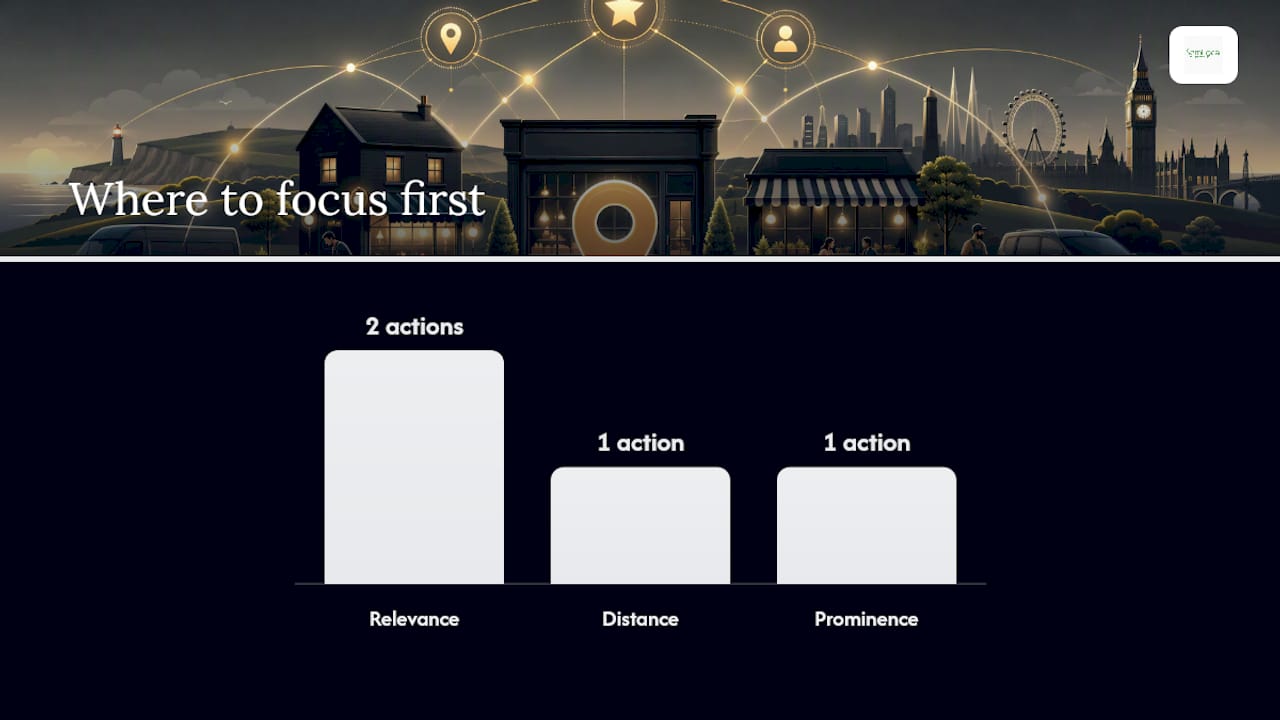
Expect some weeks for category and service changes to show measurable ranking movement. A staged checklist approach — foundation first, then depth work, then ongoing activity — is the most reliable path to sustained ranking improvement.
Which GBP Insights metrics actually matter?
Track customer actions above all else: calls, website clicks, and direction requests show real business outcomes, not just visibility. Profile views tell you how often you appeared; actions tell you whether the profile converted that appearance into a lead.
KPIs to monitor monthly:
- Searches that found you — split by direct (brand name) and discovery (category/service searches)
- Profile views — total impressions in Search and Maps
- Customer actions — calls, website clicks, direction requests, bookings
- Photo views — a proxy for how engaging your media is
- Review count and average rating — track momentum, not just the current score
Monthly reporting template:
The query data in Insights shows the actual search terms people used to find your profile. Review these monthly — they often reveal service gaps or location terms worth adding to your description and posts.
Trigger for optimisation work: if calls or direction requests drop two months in a row, audit your category, check for new competitor listings nearby, and review whether your photos and posts are current.
Common errors that hurt your ranking or risk suspension
Avoid keyword-stuffed business names, fake addresses, duplicate listings, and policy violations. These cause ranking drops or, in serious cases, profile suspension. Some profile fields can be edited directly in Search or Maps, which means errors can creep in from user-suggested edits if you are not monitoring the profile.
Most common errors and fixes:
- Keyword-stuffed business name — Remove all keywords from the name field. Use only your legal or branded trading name.
- Wrong or missing primary category — Review and correct via the profile dashboard.
- Unverified profile — Complete verification immediately; unverified profiles have limited visibility.
- Duplicate listings — Search Google Maps for your business name and address. If duplicates exist, request removal via the “Suggest an edit” option or report them through support.
- Banned content in description — Remove URLs, phone numbers, promotional claims, and offensive language.
- Inconsistent NAP — Audit all major directories and align them with your GBP data.
Handling duplicate profiles:
- If you own the duplicate, request to merge or remove it via the profile manager
- If you do not own it, flag it as a duplicate through Google Maps and follow up via support chat
Suspension appeal checklist:
- [ ] Identify the likely policy violation (check Google’s guidelines)
- [ ] Gather supporting documents: business registration, utility bill, photos of signage
- [ ] Submit a reinstatement request via the Google Business Profile support form
- [ ] Allow 3–5 business days for a response; follow up if no reply after seven days
- [ ] If rejected, request a live support call and provide additional documentation
A 30-day Google Business Profile optimisation plan
A focused 30-day plan delivers the fastest results: foundational fixes in week 1, depth work in week 2, engagement and growth in week 3, and measurement in week 4. This staged approach — foundation, depth, then ongoing activity — is the most reliable method for sustained improvement.
Week 1 — Foundation (owner, 2–3 hours total)
- Claim and verify the profile
- Set the correct primary category and add up to three secondary categories
- Standardise NAP across GBP, website, and top directories
- Set accurate opening hours including holiday closures
- Write or rewrite the business description (factual, location-specific, under 750 characters)
Week 2 — Depth (owner or agency, 2–3 hours total)
- Upload 10+ photos across all key types (storefront, team, work examples)
- List all services with short descriptions and prices where applicable
- Add products or menu items if the feature is available for your category
- Seed the Q&A section with five common customer questions and answers
- Set up the booking button or messaging if supported
Week 3 — Engagement and growth (owner or team member, 1–2 hours total)
- Publish your first Google Post (an offer or update)
- Send review requests to the last 10–15 satisfied customers
- Respond to all existing reviews (positive and negative)
- Check Insights for early data on searches and actions
- Confirm NAP consistency on Yell, Bing Places, and Apple Maps
Week 4 — Measure and iterate (owner or agency, 1 hour)
- Pull the Insights report and record baseline KPIs
- Note any ranking changes for your primary service terms
- Identify the next two optimisation priorities based on data
- Set a recurring monthly task: one new post per week, two to four review requests per week, monthly Insights review
Handoff note for agencies: provide access at manager level, share login credentials for any booking or CRM integrations, and agree on a monthly reporting format covering the KPIs listed in the Insights section above. Expect two to six weeks before category and service changes show measurable ranking movement.
What Semlocal sees working for UK service businesses
The single tactic that consistently produces the best return for UK service businesses is pairing a precise primary category with a structured review cadence. Neither works as well alone. A plumber ranked for “emergency plumber Bristol” with 47 reviews at 4.8 stars will outperform a competitor with a broader category and 12 reviews, even if the competitor’s website is stronger.
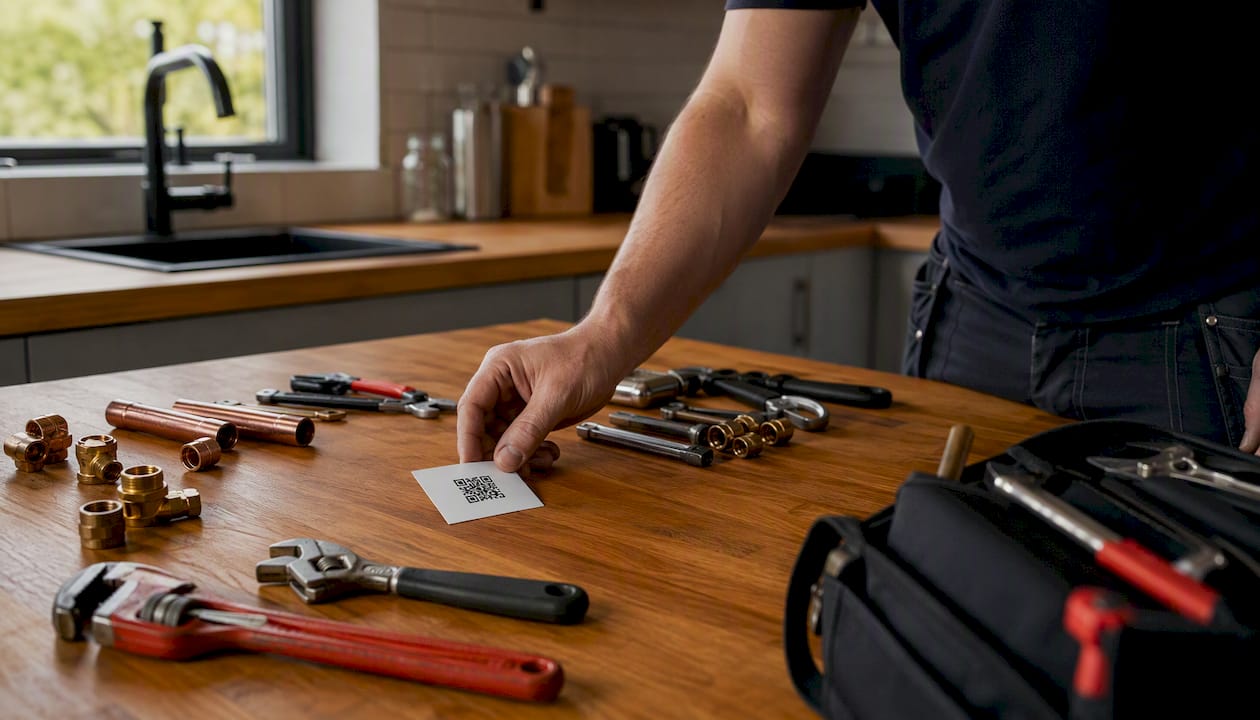
The pattern holds across trades, professional services, and hospitality. What changes is the review channel. Trades get the best results from a physical card with a QR code left at the job. Professional services (accountants, solicitors, financial advisers) do better with a personalised follow-up email sent the same day the engagement closes. Restaurants and hospitality venues benefit most from a prompt on the receipt or a table card.
The second pattern worth noting: service-area businesses that list individual services rather than a single generic description consistently rank for more discovery searches. An electrician who lists “EV charger installation”, “consumer unit replacement”, and “landlord electrical certificates” as separate services appears in far more relevant searches than one whose description reads “all electrical work covered”. The effort is 20 minutes; the compounding effect over three to six months is material.
The broader local SEO strategy context matters too. GBP optimisation is the fastest lever, but it works best when your website’s local pages, citations, and backlink profile are aligned. Businesses that treat GBP as a standalone task rather than part of a joined-up local presence tend to plateau after the initial gains.
Semlocal’s managed Google Business Profile service
Semlocal’s Google Business Profile management service handles everything in this guide on your behalf, so you spend your time running your business rather than managing a listing. For UK service businesses, franchises, and multi-location operators, that means a fully optimised profile that generates real enquiries, not just impressions.
The managed service covers profile audits and verification support, photo libraries refreshed monthly, a structured review-request system, weekly Google Posts, and a monthly Insights report with clear commentary. Every action is tied to calls, bookings, and direction requests — the metrics that reflect actual leads. If you want to see what your profile is currently missing, request a free profile audit and Semlocal will identify the gaps and prioritise the fixes. No long-term contract required to get started.
Sources
- Get listed on Google – Google Business Profile
- How to Optimize Your Google Business Profile in 2026
- Google Business Profile Optimization Checklist: 42 Items for 2026 | The Search Sherpa
- Edit your Business Profile – Google Business Profile Help